Re-rank mirrors
Re-rank mirrors every 1-2 months to keep your mirrorlist up to date.
Mirrors are servers located around the world that store copies of software packages. When upgrading packages, your EndeavourOS system utilizes multiple mirrors, which are noted in a mirrorlist.
A well-maintained mirrorlist ensures the pacman package manager can access up-to-date package files when performing system updates. Outdated mirrors can prevent pacman from updating core packages.
Update the Arch mirrorlist by running:
$ reflector-simple
Adjust your preferences in the
reflector-simpleGUI tool. You can choose the number of mirrors to store in your mirrorlist, the country of origin, and ranks based on speed or age.- By default,
reflector-simpleselects the 20 fastest mirrors based on your location.
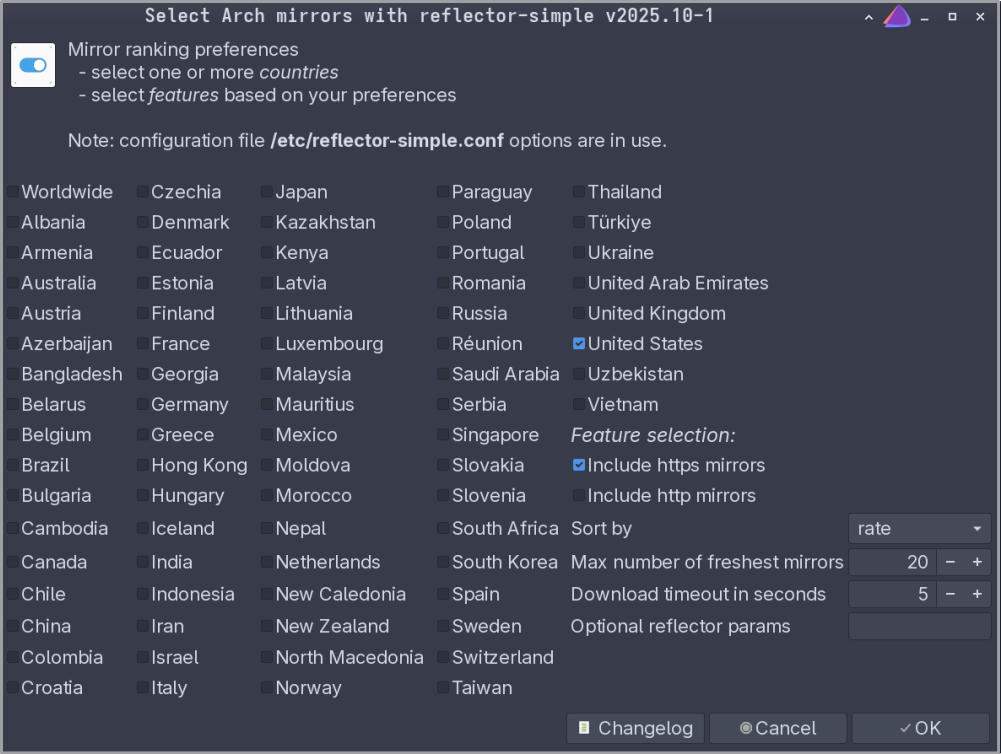
- By default,
Hit OK to confirm the selection and run the process. It is normal to see warnings as
reflectortests various mirrors for connectivity speed and age.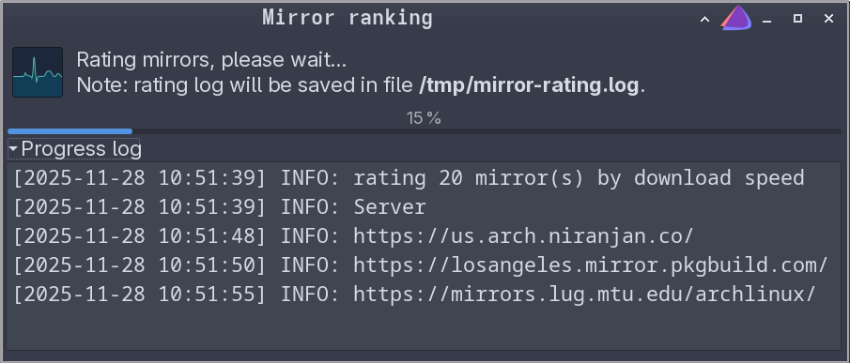
The system will notify you once the new Arch
mirrorlisthas been generated. Save to apply the configuration changes.Refresh the system to sync the newly obtained mirrors with the Arch package databases:
$ yay -Syyu
Endeavour OS has its own distro-unique packages, which may be slightly modified versions of Arch packages.
Update the Endeavour OS mirrorlist with:
$ eos-rankmirrors
The terminal may display errors/warnings as the system tests various mirrors for connectivity and speed. It may take a few minutes to find the requisite amount of mirrors.
- By default, the new
mirrorlistlists 20 fastest mirrors, comparing them with the original list.
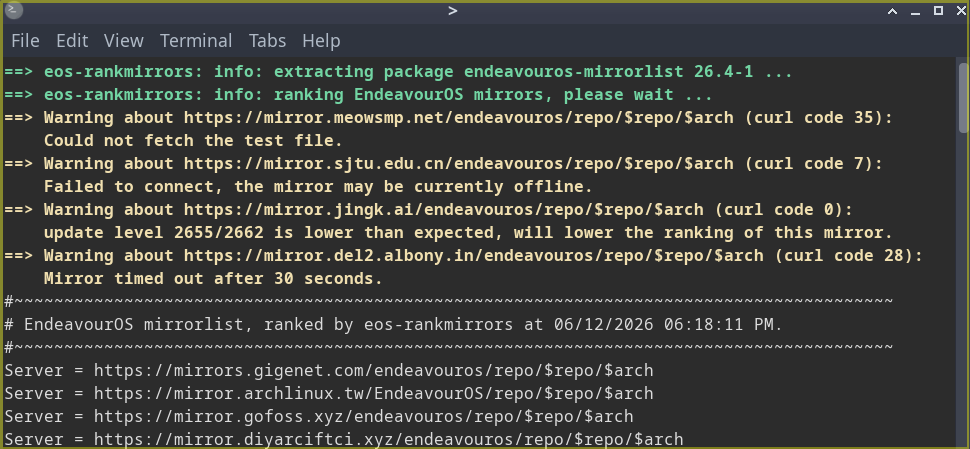
- By default, the new
Confirm and save the changes, then refresh the system with:
$ yay -Syyu
If you do NOT wish to make the mirrorlist changes, stop the terminal process. By default, this shortcut is bound to Ctrl+C in the terminal.
eos-rankmirrors process only shows terminal output (no GUI tool).Common issues: outdated mirrors
When pacman receives a command to update packages and refresh the system, it attempts to connect to the package databases stored in mirrors. Outdated mirrors can prevent pacman from updating your system to the newest packages.
| Error message | Probable cause |
|---|---|
GPGME error: No data | Files from the package database are outdated or corrupt |
failed to synchronize all databases | Outdated mirrors - not in sync with the most recent package databases |
The requested URL returned error: 404 | Mirror cannot be reached - most likely outdated and expired. |
failed to commit transaction | Mirror cannot be reached, or package files are not available . |
too many errors from arch.mirror.mx | Slow/unstable mirror connection (timed out) or network issues. |
If pacman runs into these errors during a system update, be sure to rerank mirrors before another update attempt.
If these errors/warnings persist despite re-ranking mirrors, this may indicate outdated packages and require updating with pacman and yay.
yay with root permissions (sudo), or it may cause accidental (and potentially fatal) system changes. AUR helpers do not require root permissions to manage packages.Last updated 12 Jun 2026, 18:00 -0700.