Verify file integrity
How to ensure the installation files are safe to use.
Before using the installation file (.iso), we need to make sure that it is safe to use. A safe file is:
- From a verified source
- Is not corrupted
- Has not been tampered with
This verification process is done by comparing checksums.
Check installation .iso checksum
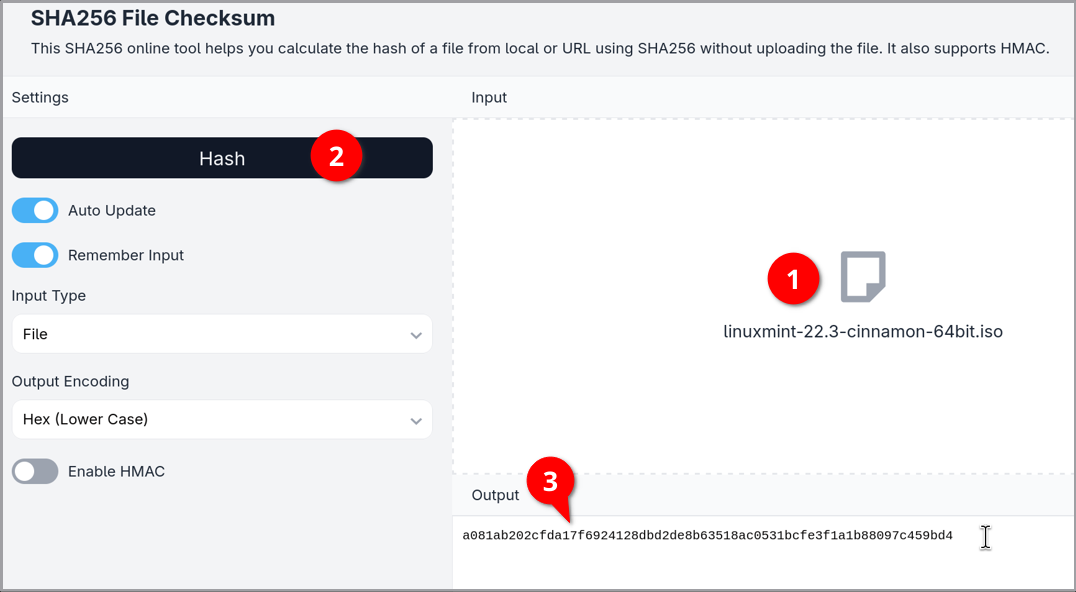
Open the emn178 SHA256 checksum tool.
Click on the Input box and select the
linuxmint-22.3-cinnamon-64bit.isofile.Click the Hash button. The hashing process may take a while.
Copy the generated hash text string from the Output box.
Compare with expected hash
Open the Toolsley hash comparison tool. to compare the output text with the expected hash.
Paste the output from the
.isohash into the first value field.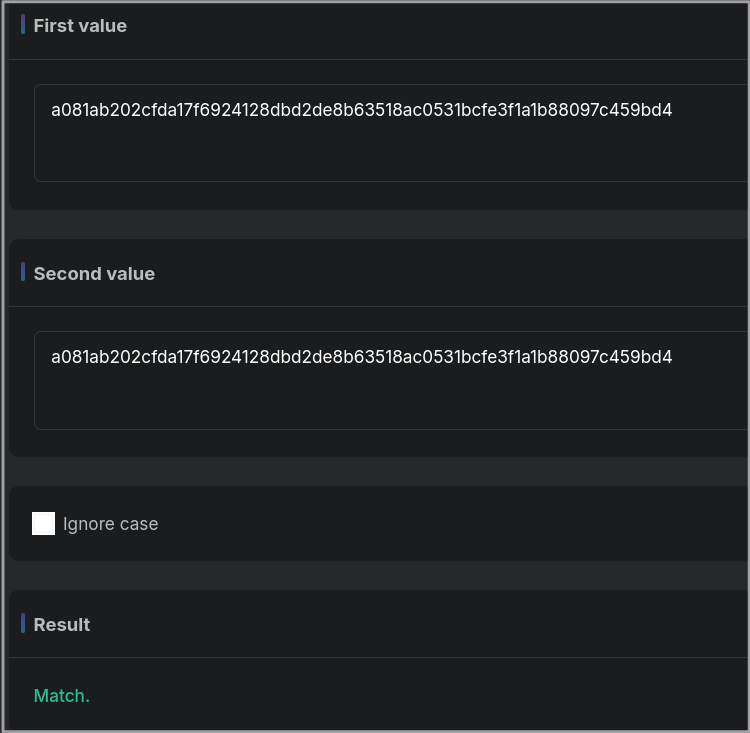
Open the
sha256sum.txtfile you downloaded.Copy and paste the expected hash into the second value field. This is the string of text before whichever version you downloaded.
If the output and expected hash are an exact match, the integrity check was successful.
This process can also be completed using other other hashing tools, such as the Bitakit hash comparison tool.
Failed integrity check
| Double check that you are: | |
|---|---|
| Using SHA-256 checksums | Not other types such as SHA-128, SHA-512, MD-5, etc. These are different types of encryption and will yield different results. |
| Comparing with the correct expected hash | This value varies depending on which version you downloaded (ex. Cinnamon vs. Mate, or v22.3 vs. 22.1). |
| Hashing a complete download | .iso files are several gigabytes, and there is a possibility the download was interrupted. In this case, download the whole file again. |
If the actual and expected hash outputs do not match:
Delete the existing
.isoandsha256sum.txtfiles from your computer.Re-download the Linux Mint
.isoand SHA256sum.txtfiles.Go through the integrity verification steps again.
Signature verification
The official Linux Mint guide goes through a more thorough verification process using a downloaded GnuPG tool, and also checks the signature authenticity of the sha256sum.txt file. In the interest of brevity, this guide only covers the hash comparison step.
Last updated 23 Jun 2026, 16:10 -0700.